

Hollow Knight
11-09-2025, 23:10

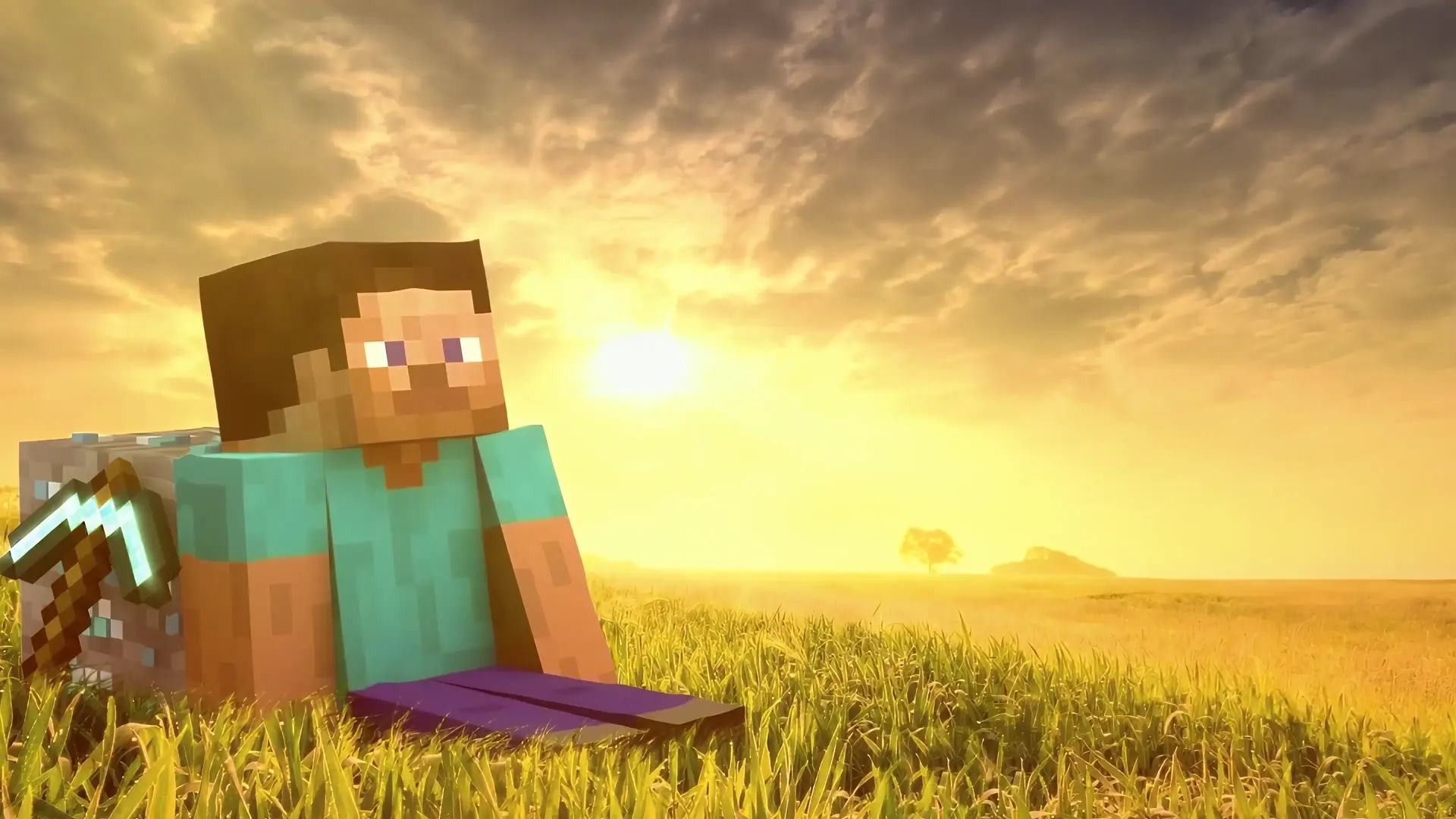
This desktop live wallpaper captures a peaceful moment in the world of Minecraft. Steve, the iconic character of the game, is sitting on the grass with his diamond pickaxe resting nearby as the sun sets on the horizon. The golden glow of the sunset bathes the landscape in warm light, making this Minecraft live wallpaper for PC both relaxing and inspiring. Unlike static backgrounds, the subtle motion of light and atmosphere adds life to your desktop.
Minecraft has become one of the most beloved games in history, known for its creativity, exploration, and endless adventures. This live wallpaper for desktop celebrates that same spirit by showcasing Steve in a moment of calm reflection. Whether you’re a fan of building, mining, or just exploring vast worlds, this wallpaper represents the beauty and freedom that Minecraft offers. It’s perfect for fans who want to bring their favorite game to life on their PC.
What sets this wallpaper apart is its ability to mix simplicity with beauty. The blocky textures of Steve and the diamond ore are contrasted with a realistic, glowing sunset sky. This blend creates a cinematic effect, making your desktop feel dynamic and immersive. For fans searching for Minecraft wallpapers, Steve backgrounds, or gaming live wallpapers, this is an excellent choice.
This Steve Minecraft live wallpaper is more than just a background—it’s a celebration of creativity, calmness, and gaming nostalgia. Whether you play Minecraft daily or just love the look of its iconic design, this wallpaper transforms your desktop into a warm and inviting scene from the game.



No comments
Information
Users of Guests are not allowed to comment this publication.